Check the command
Confirm whether the BMS is actually requesting the device to move or operate.

BMS Maintenance Troubleshooting Guide
A responsive Rise 360 learning experience that helps beginners understand how building management systems relate to physical equipment and follow a structured process when investigating maintenance problems.
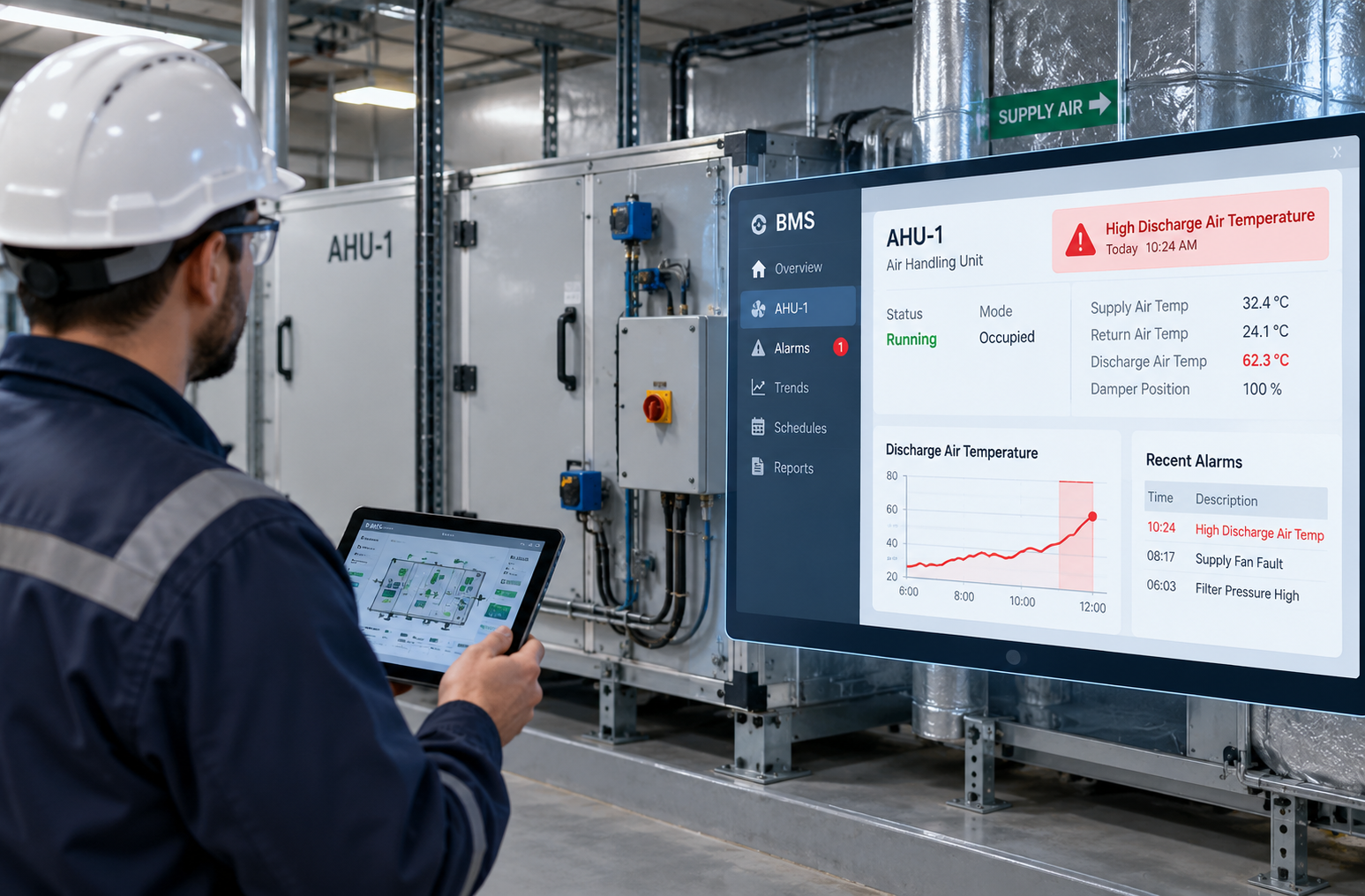
Less experienced maintenance staff may be able to see an alarm or trend in the BMS but still be unsure what evidence to check next or how that information relates to the equipment in front of them.
The learning need was therefore to connect system information with physical behaviour and provide a practical sequence for investigating likely faults.
The course moves from how BMS information relates to equipment, sensing, commands and feedback into practical troubleshooting and quick-reference support.
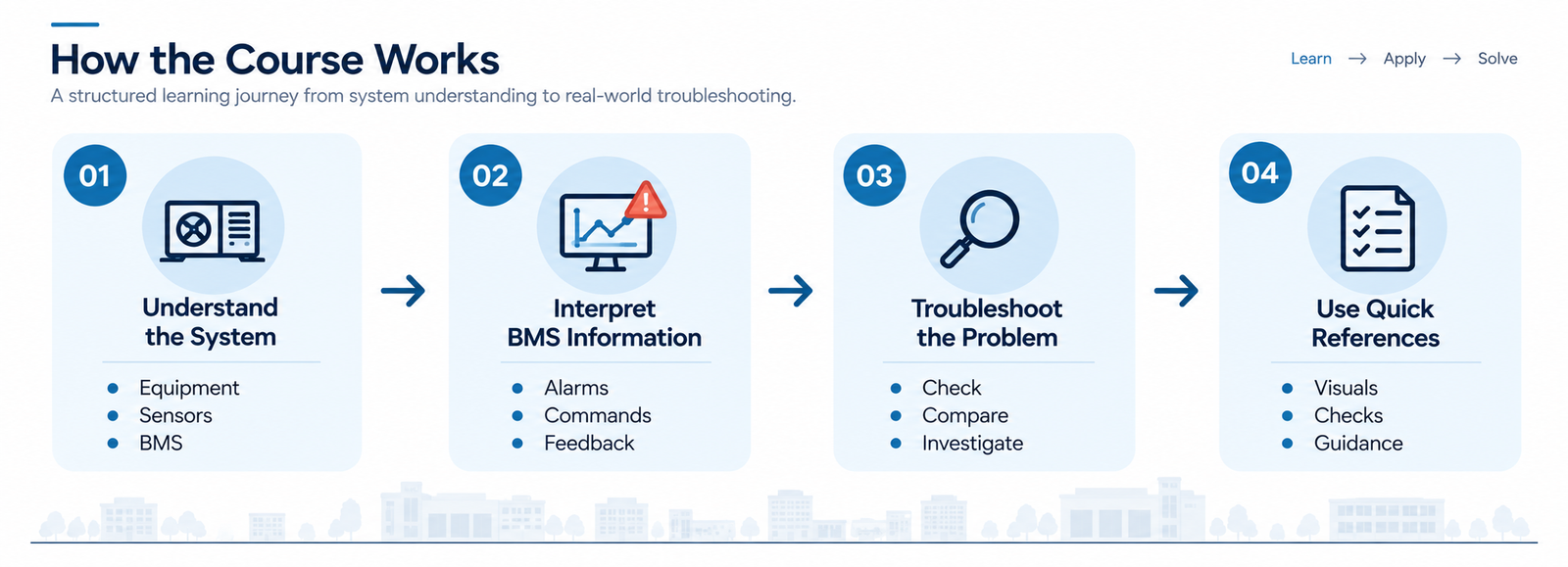
Rather than treating every alarm as a separate set of instructions, the course uses one practical reasoning sequence that can be applied across different situations.
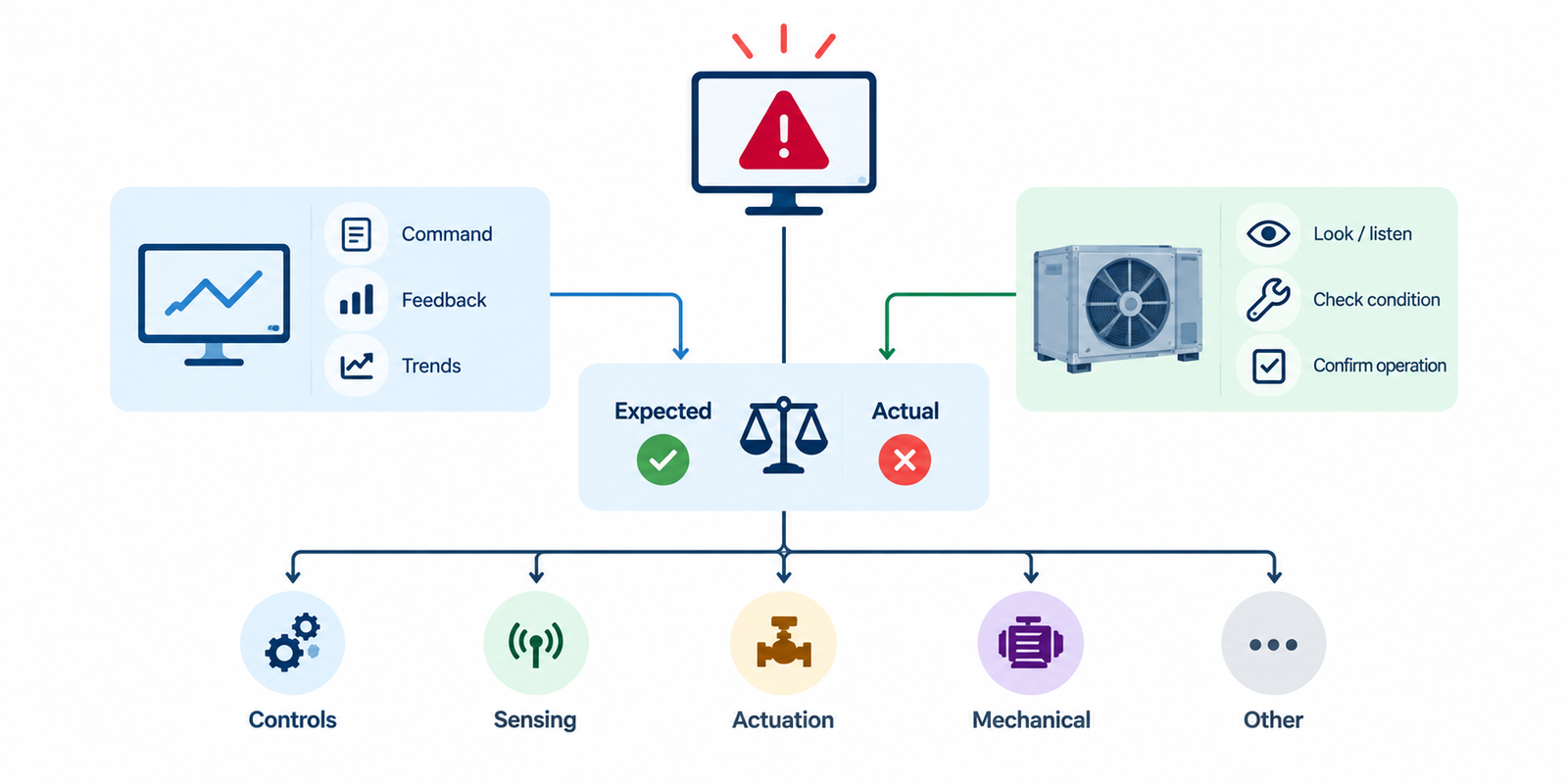
Confirm whether the BMS is actually requesting the device to move or operate.
Compare the command with the reported position, status or response.
Where safe and authorized, confirm what the equipment is actually doing.
Look for the expected change in temperature, pressure, airflow or another system outcome.
Use the evidence to narrow the problem to controls, sensing, actuation, mechanical equipment or another cause.
The Rise course combines concise explanations with equipment diagrams, component visuals, process graphics, trend examples and reference material. The goal is to help learners recognize what they are looking at and connect digital information with physical system behaviour.
A single composite image can show the range of the finished experience without turning the case study into a gallery.
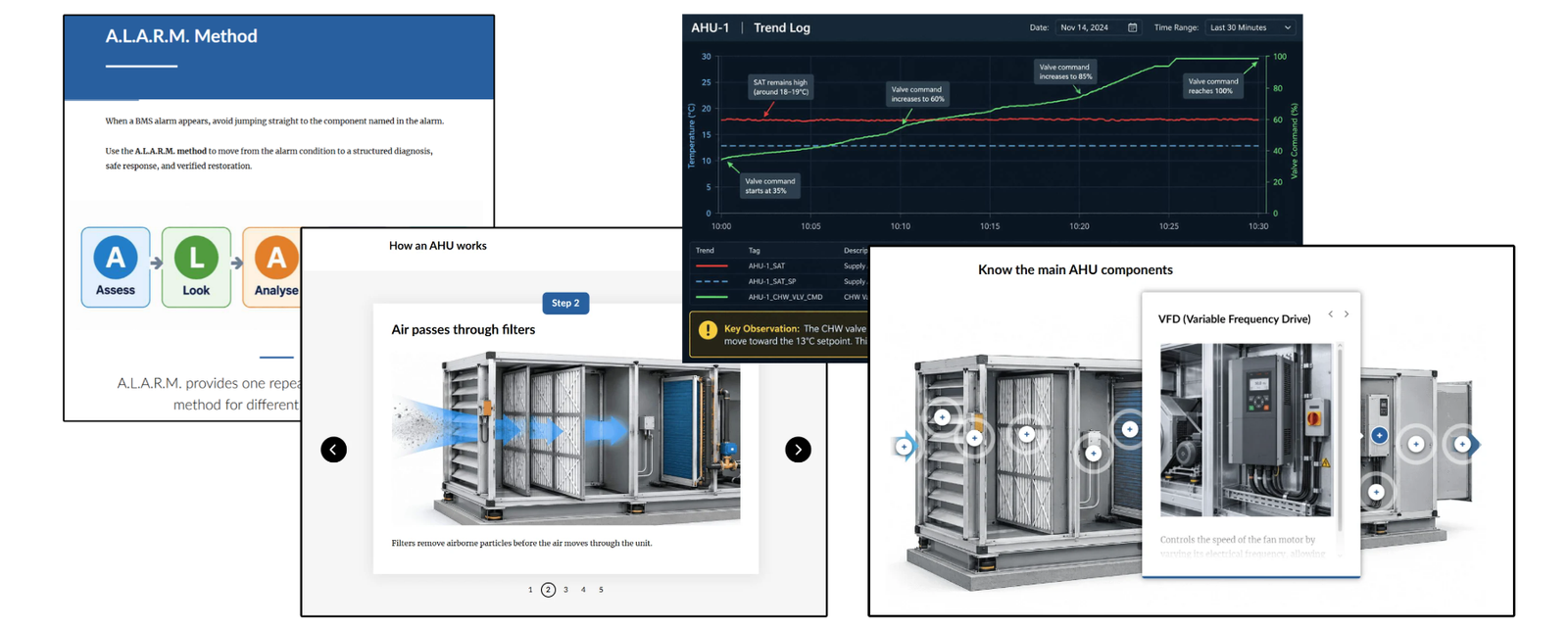
Structured technical learning that adapts cleanly across desktop, tablet and mobile screens.
Diagrams and technical visuals help learners connect BMS information to real equipment and system behaviour.
The troubleshooting sequence gives learners a method they can reuse rather than isolated answers to memorize.
Technical troubleshooting becomes easier when learners understand how the system and its information fit together.
A repeatable investigation sequence is more useful than memorizing separate responses for every possible alarm.
Rise 360 supports this project well because the learning need is structured guidance, visual explanation and easy reference.
Explore the finished Rise 360 experience and see how system understanding, troubleshooting logic and visual support work together.
Launch From Alarm to Action ↗